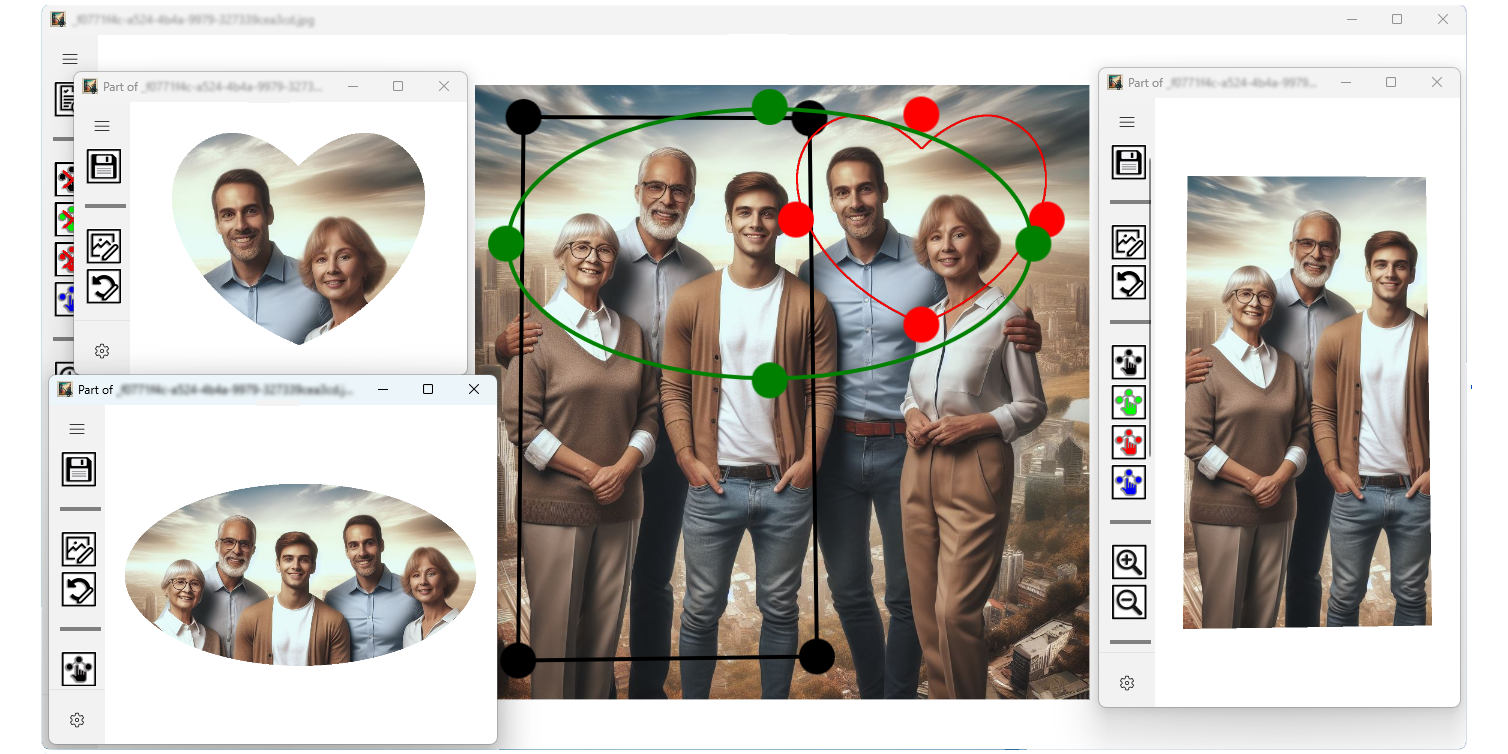
App allows you to work with up to 4 shapes simultaneously: black, green, red and blue, you can open up to 16 independent
image-editing windows.
Each image-editing window is created by app any time you clone the selection. Such a window has
 button on the upper-left corner to save your work you have done in this window. Each image-editing
window providing all the controls and functionalities available in the main window. You'll have access to the full range of colors and
shapes within each window. In addition to the functionalities of the main window, each image-editing window offers dedicated
controls specifically for image editing tasks like feathering selections and changing backgrounds.
button on the upper-left corner to save your work you have done in this window. Each image-editing
window providing all the controls and functionalities available in the main window. You'll have access to the full range of colors and
shapes within each window. In addition to the functionalities of the main window, each image-editing window offers dedicated
controls specifically for image editing tasks like feathering selections and changing backgrounds.
Essentials
Don't be afraid to play around with shapes and sizes! The perfect combination of form and content awaits.