Unlike some shapes like squares or circles that can be stretched or squished, the heart shape can only be made larger or smaller while keeping its overall form intact.
Working with heart
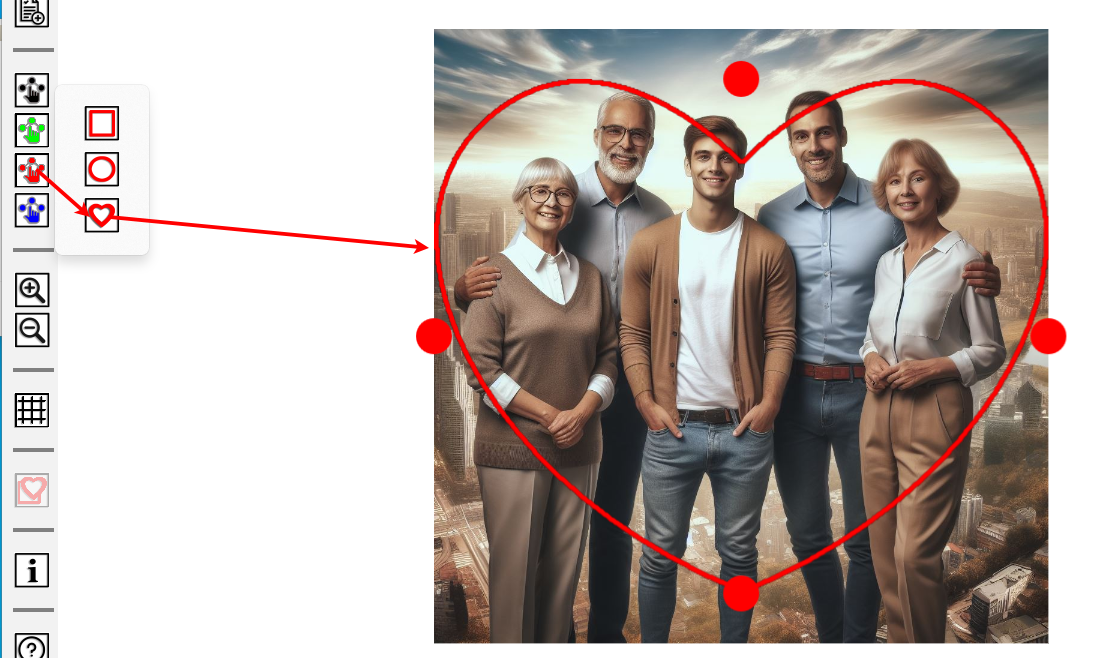
Start from selecting color you like
 and then select rectangle shape.
 There are four grippers in each corner of heart to resize it

You can move selection using mouse - simply click and hold your mouse inside the selection area and drag it to the desired location.

Use
 to show and hide grid.
Right-click (or long-press) on the gripper to access a menu: "Snap to grid" menu item aligns the active gripper
to the nearest grid point.
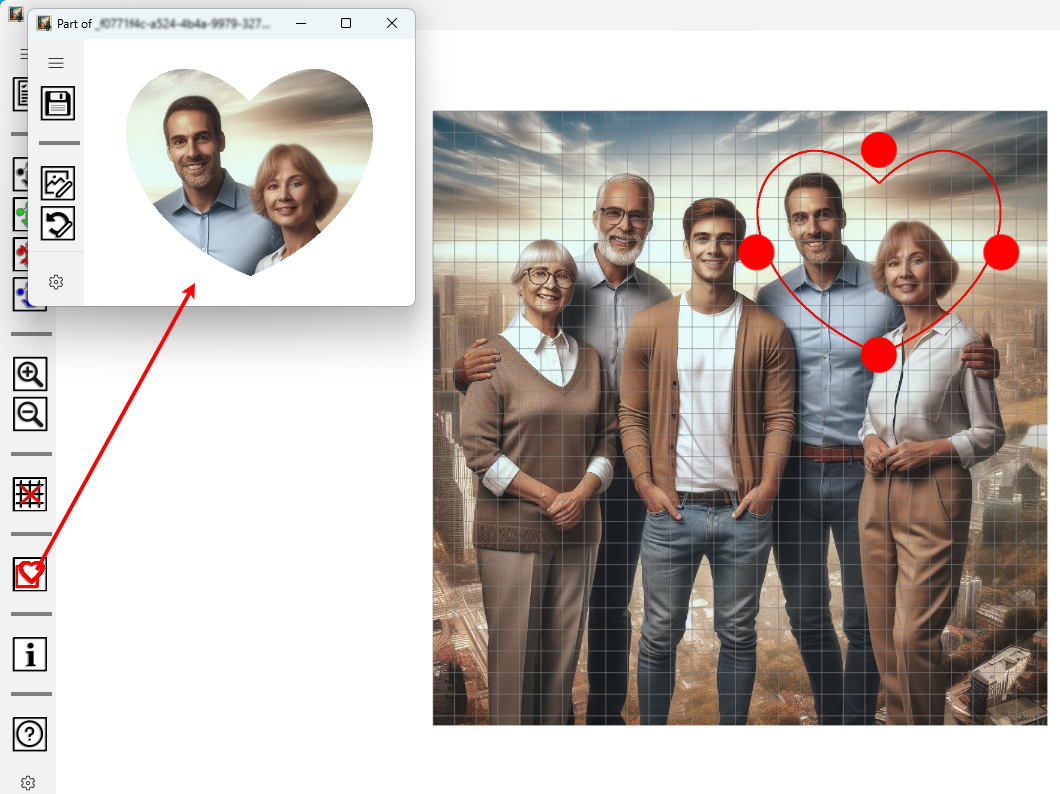
When you are satisfied with selection use
 to open new image-editing window and copy selection to it. In the upper-left
corner of this new window find the save button
to open new image-editing window and copy selection to it. In the upper-left
corner of this new window find the save button
 to save your work.